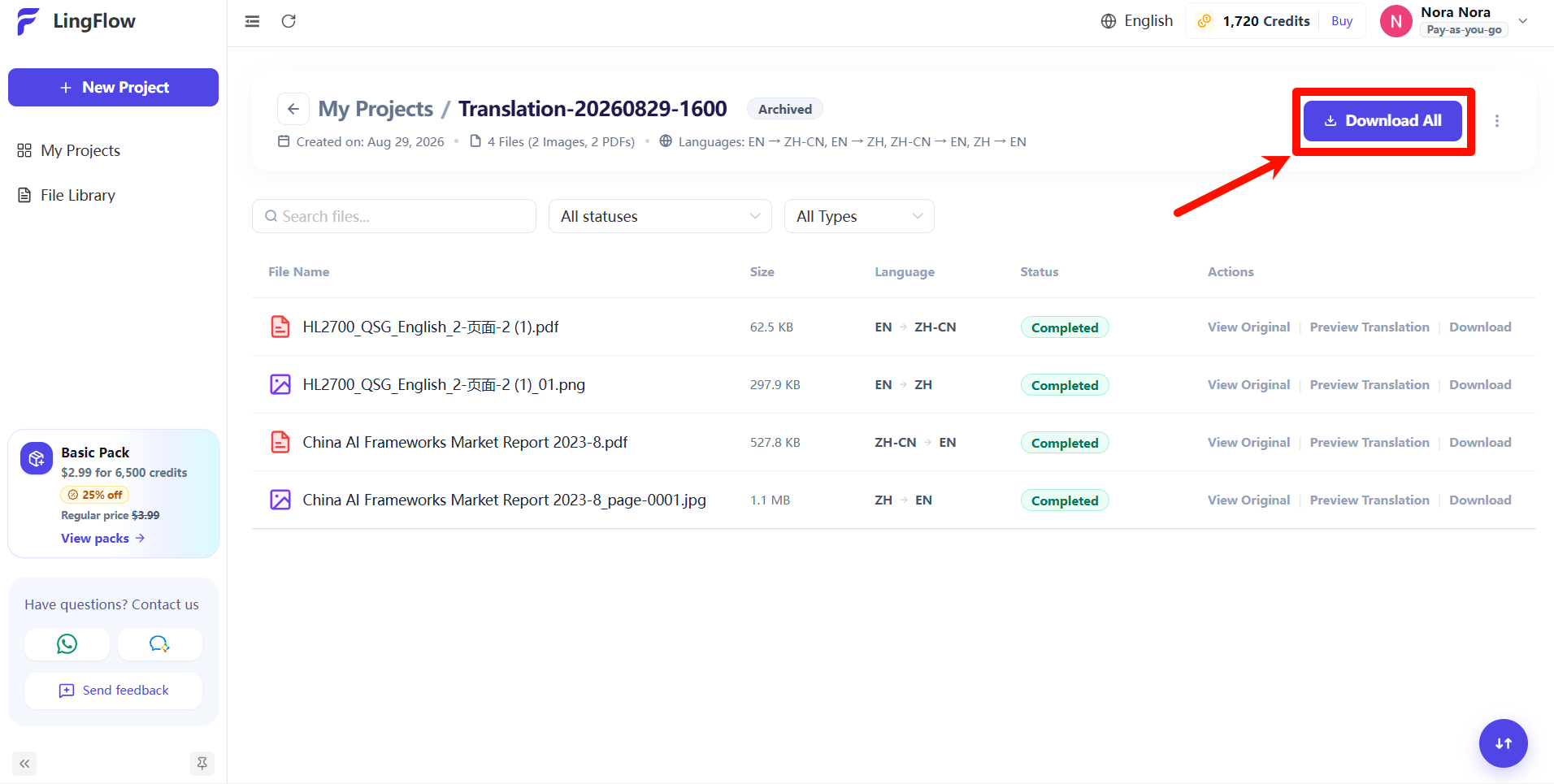
Once a project is archived, you can download all translated files in it at once. Archived projects no longer take up space in your active work list, but remain available for historical reference and for accessing translation results.
Archive a Project
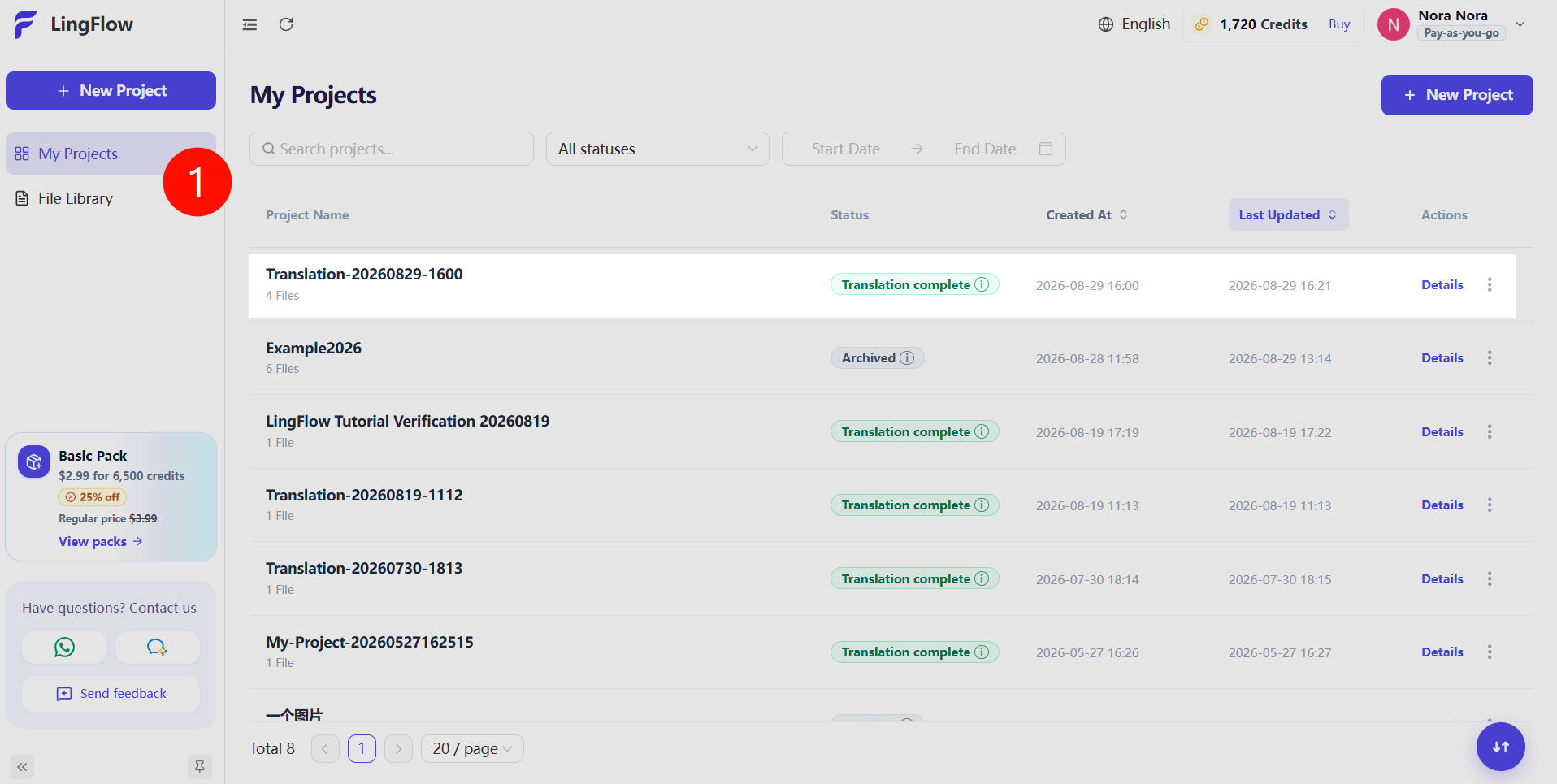
- Click My Projects in the left navigation.
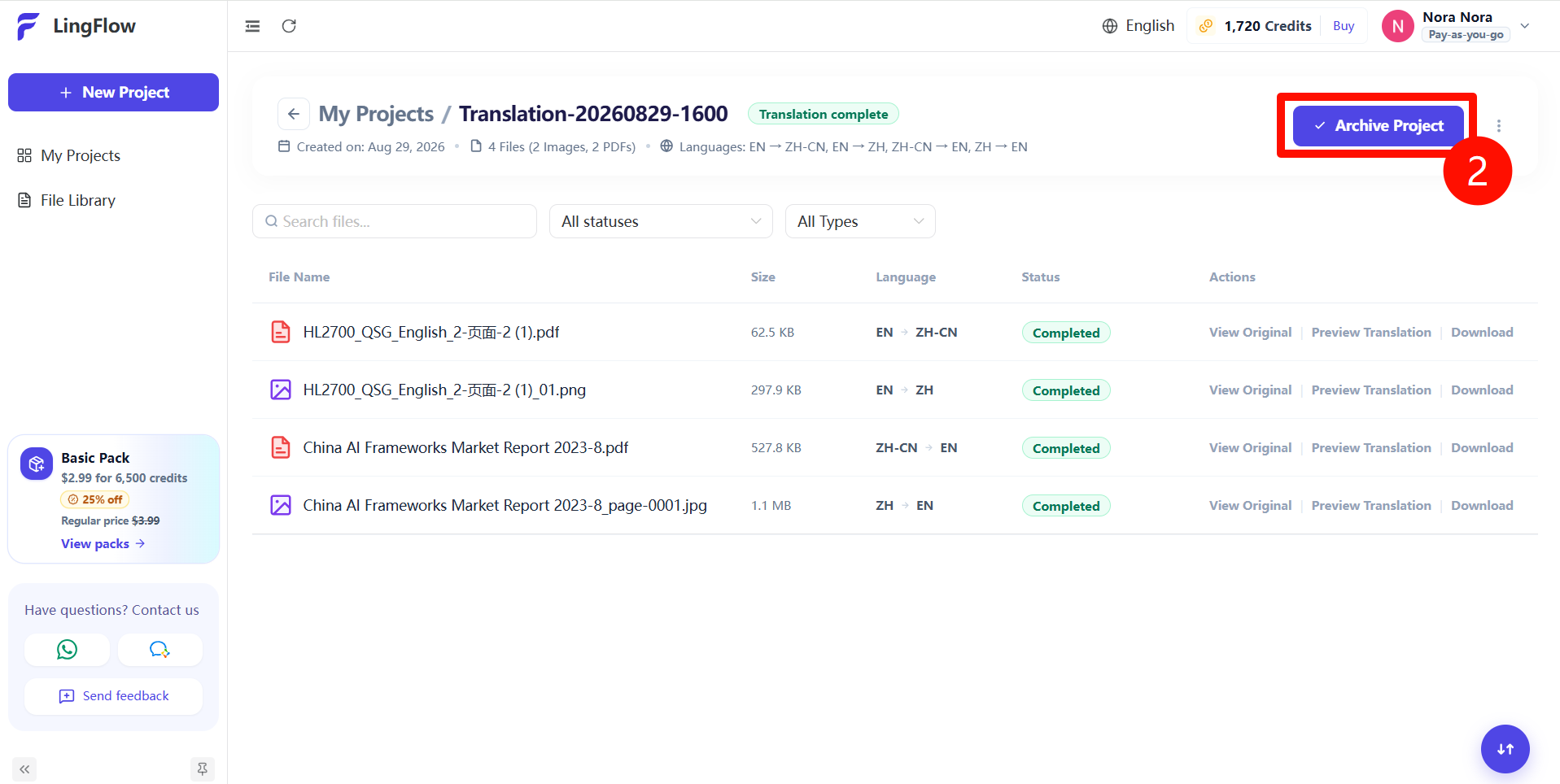
- Select the project whose translated files you want to download in bulk.
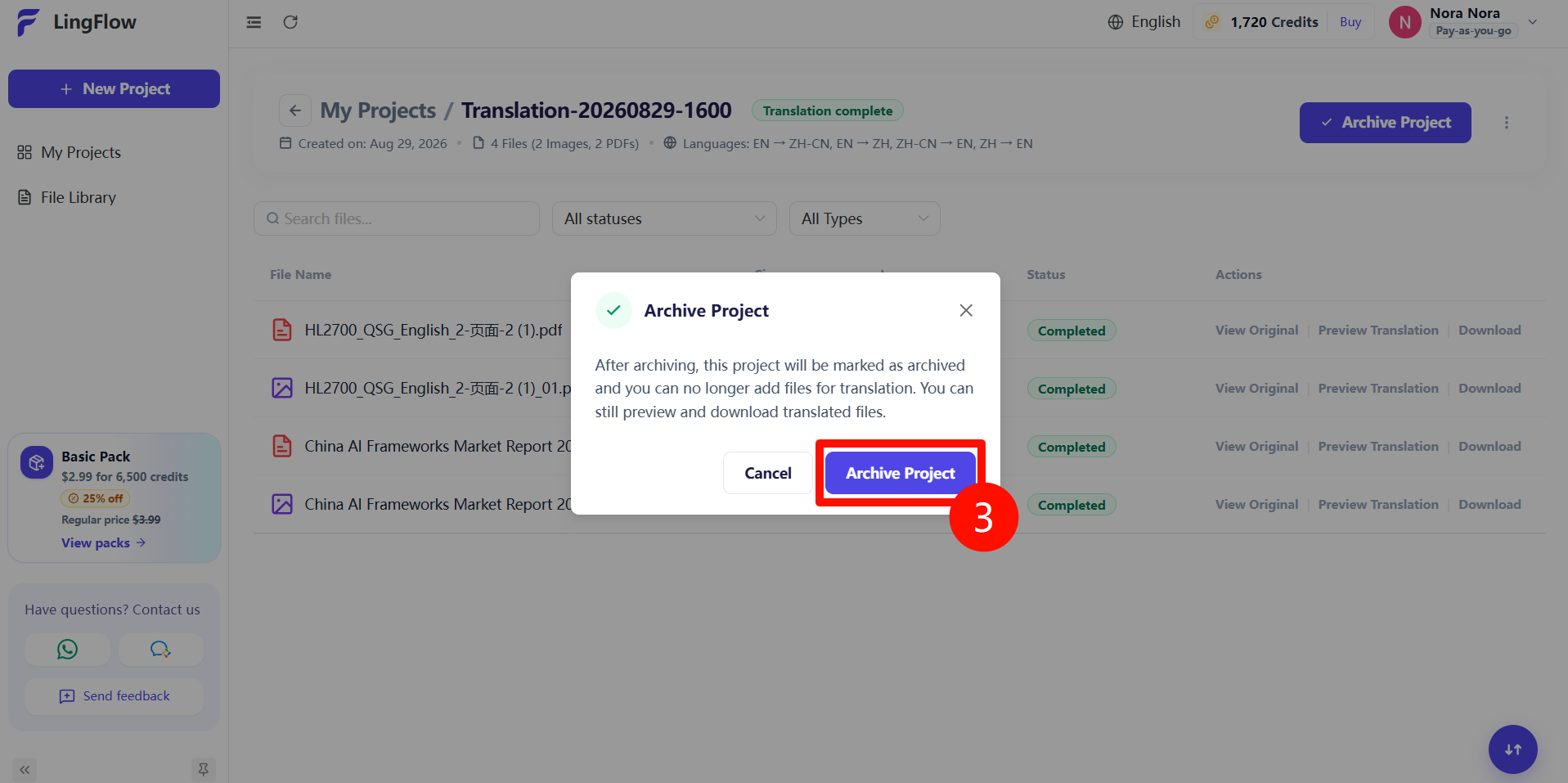
- Click Archive Project.
Download All Translated Files
- Open the archived project's details page.
- Click Download All.
- Wait for your browser to create and download a compressed archive containing all translated files in the project.