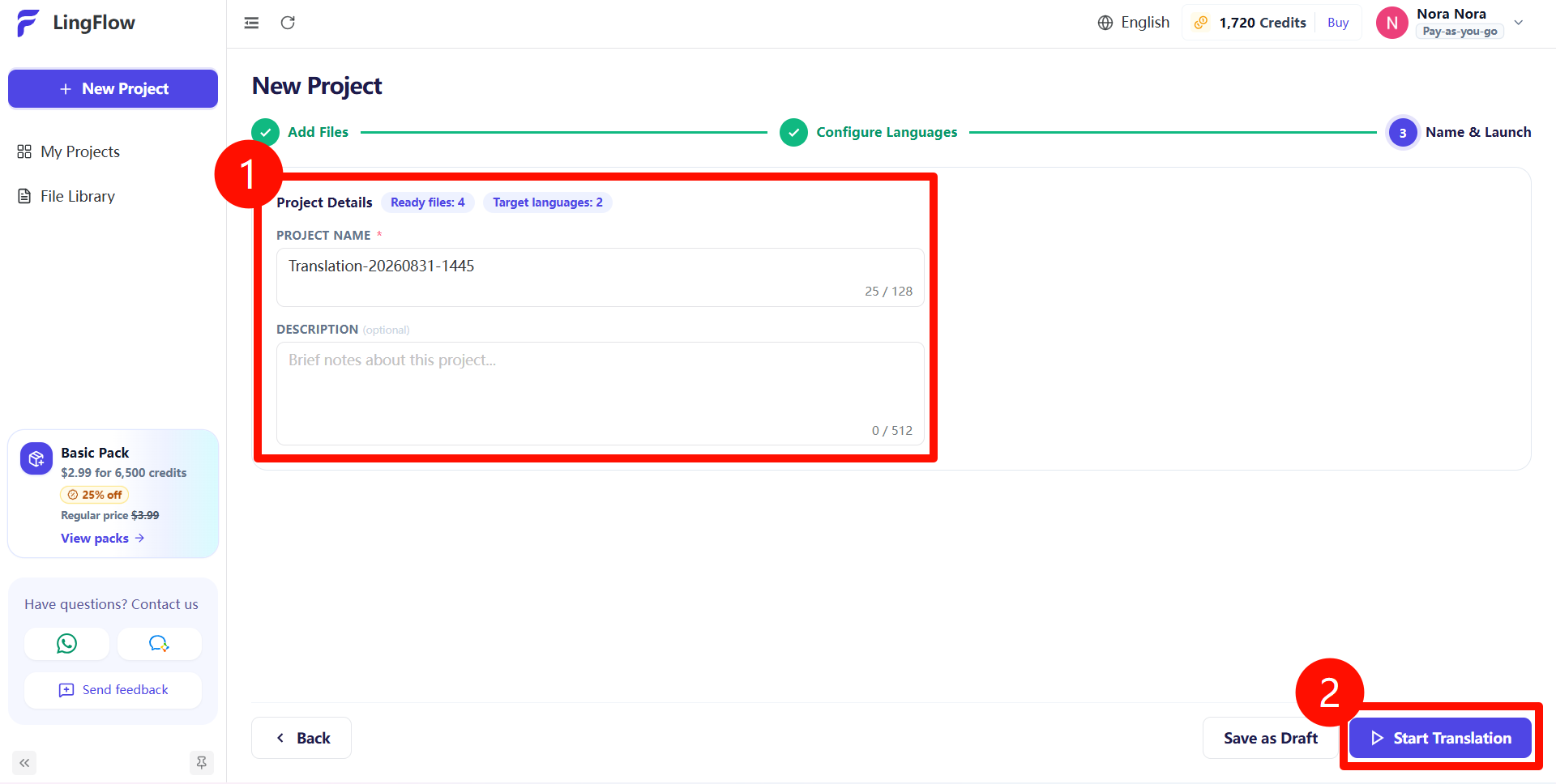
A project is the main way to manage a translation task in LingFlow. A project can contain any number of files. We recommend grouping files with similar business goals, language pairs, or delivery deadlines in the same project.
Create a Project and Upload Files
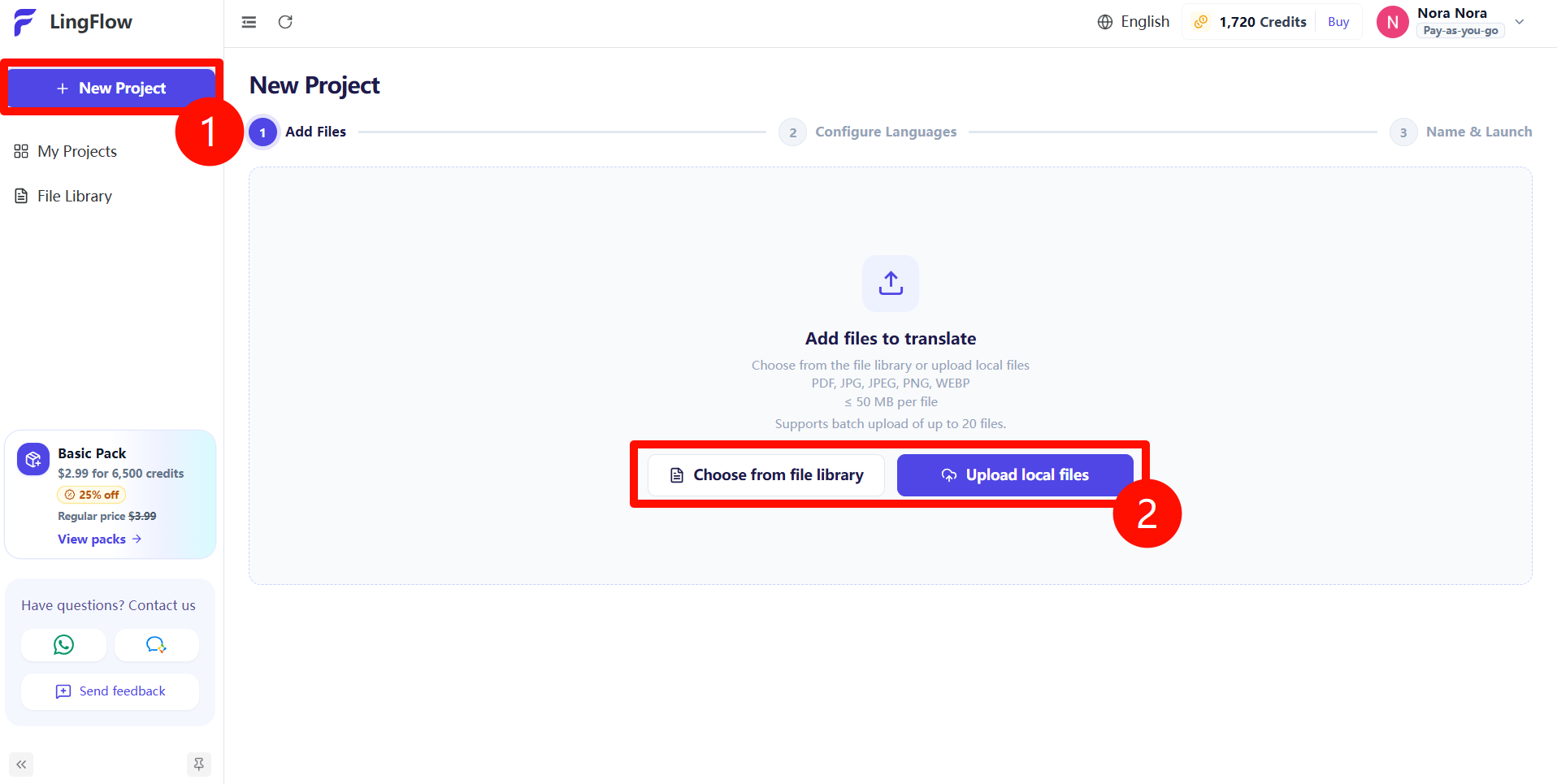
- Click New Project in the left navigation.
- At the Add files step, choose one of the following:
- Choose from file library: Reuse files you have previously uploaded to LingFlow.
- Upload local files: Select new files from your computer.
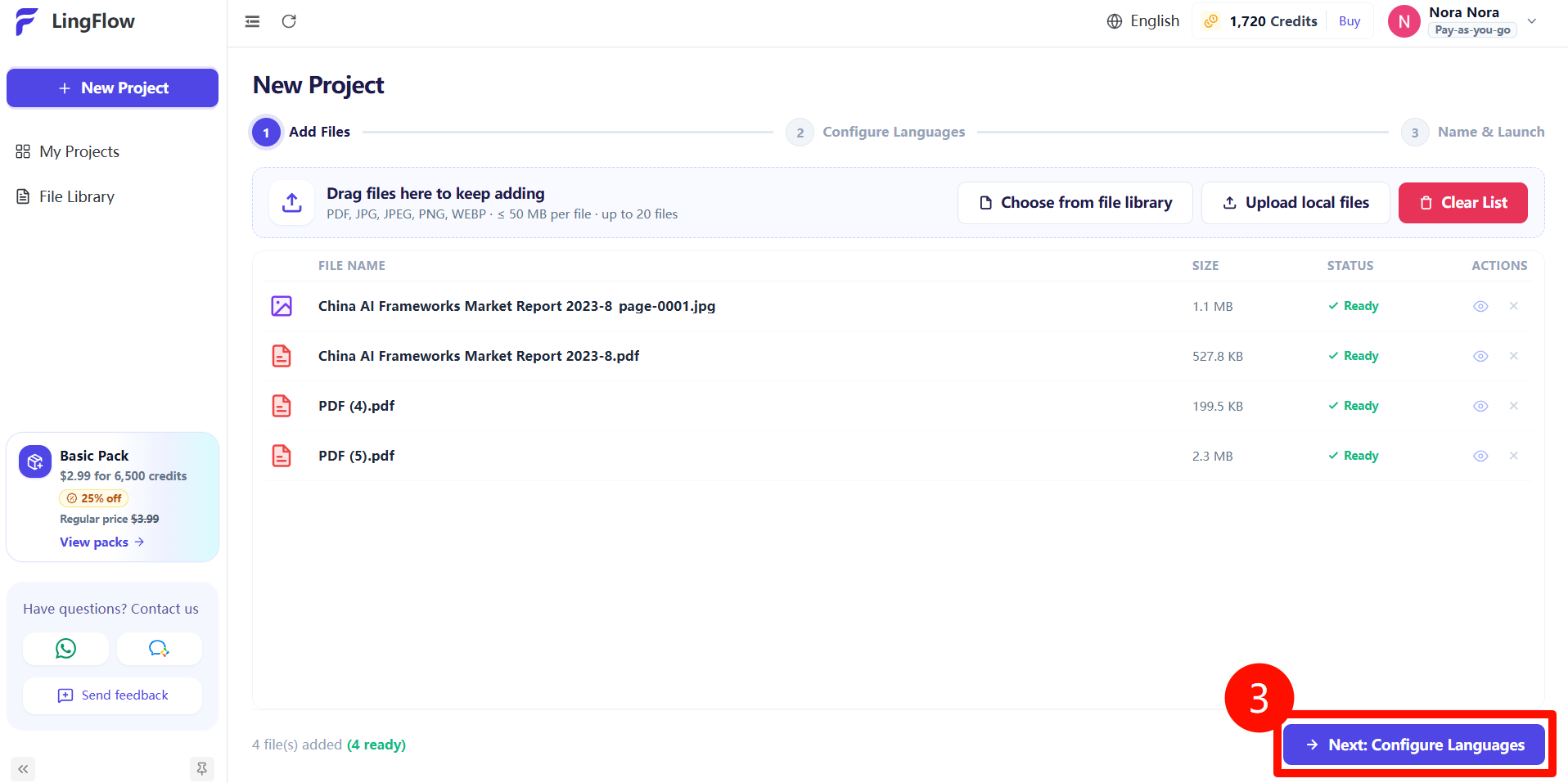
- Wait until every file has finished uploading and shows Ready. Confirm the file names, formats, and quantity, then click Next: Configure Languages.
Configure Languages
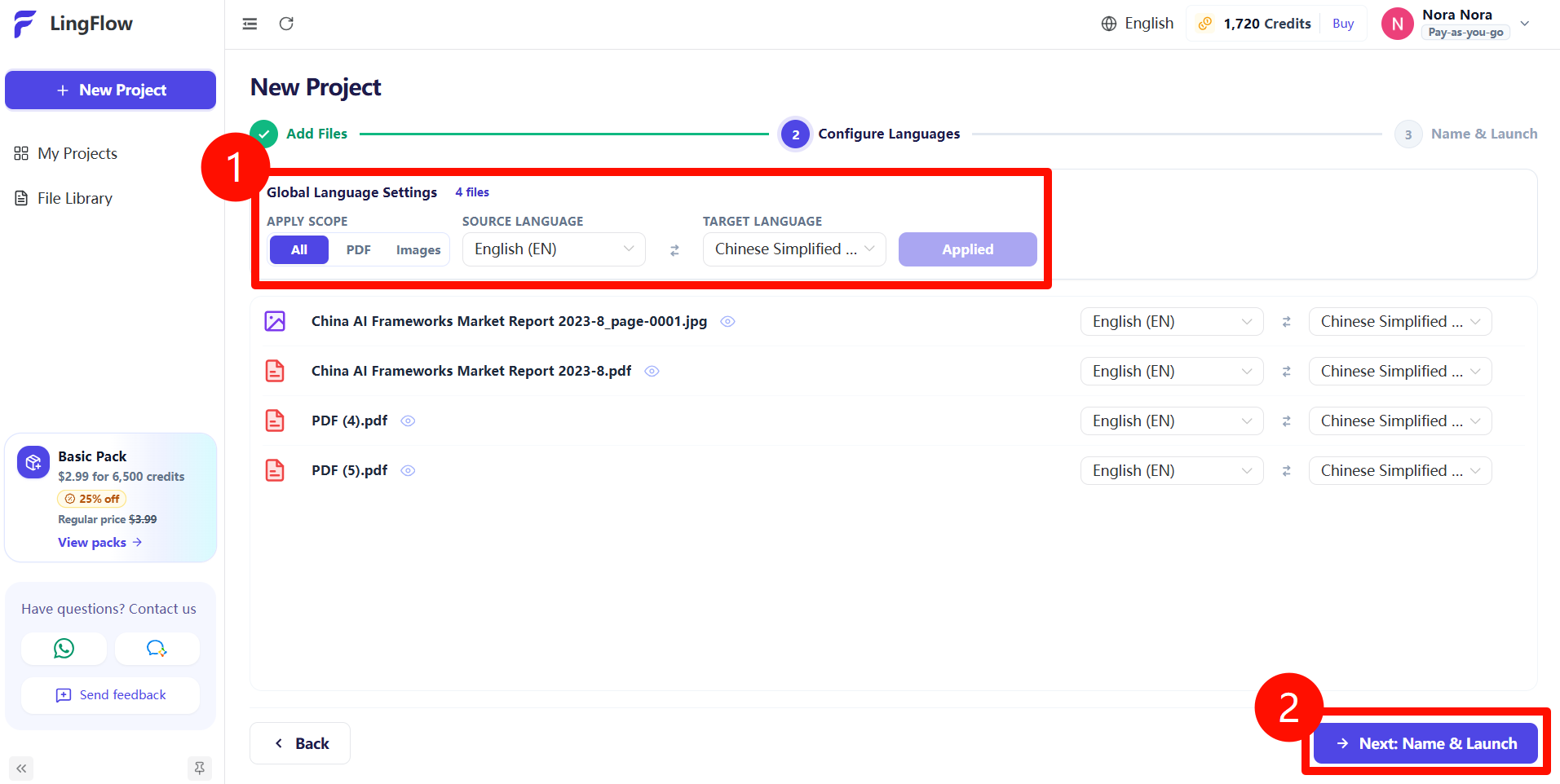
- Select the source and target languages in Global Language Settings. If a file needs a different language pair, change that file's language settings separately.
- Click Next: Name & Launch.
Name and Launch
- Enter a project name.
- Click Start Translation.