
LingFlowHelp Center
EnglishEN
English简体中文
Go to WorkspaceApp

Browse help topics

Quick Start

How to Start a TranslationHow to Download All Translated Files in a Project

Limits & Credits

What File Types Does LingFlow Support?What Are the File Size Limits?Will I Be Charged Again if a Translation Fails, Is Canceled, or Viewed Again?How to View Credit Usage and Payment History

Uploading & Downloading Files

What Should I Do if a Download Does Not Respond or Fails?What Should I Do if Upload Progress Is Stuck or Remains at 0%?What Should I Do if a File Cannot Be Uploaded or the Upload Fails?How to Download Files in Bulk

Translation Issues

What Should I Do if a Translation Fails?What Should I Do if Translation Progress Does Not Change for a Long Time?What Should I Do if a File Remains Pending Translation or Queued?

Improve Translation Quality

How to Improve PDF Translation Quality

Limits & Credits

How to View Credit Usage and Payment History

Updated 2026-08-31

Click Credits in the upper-right corner, then select Usage & Billing.
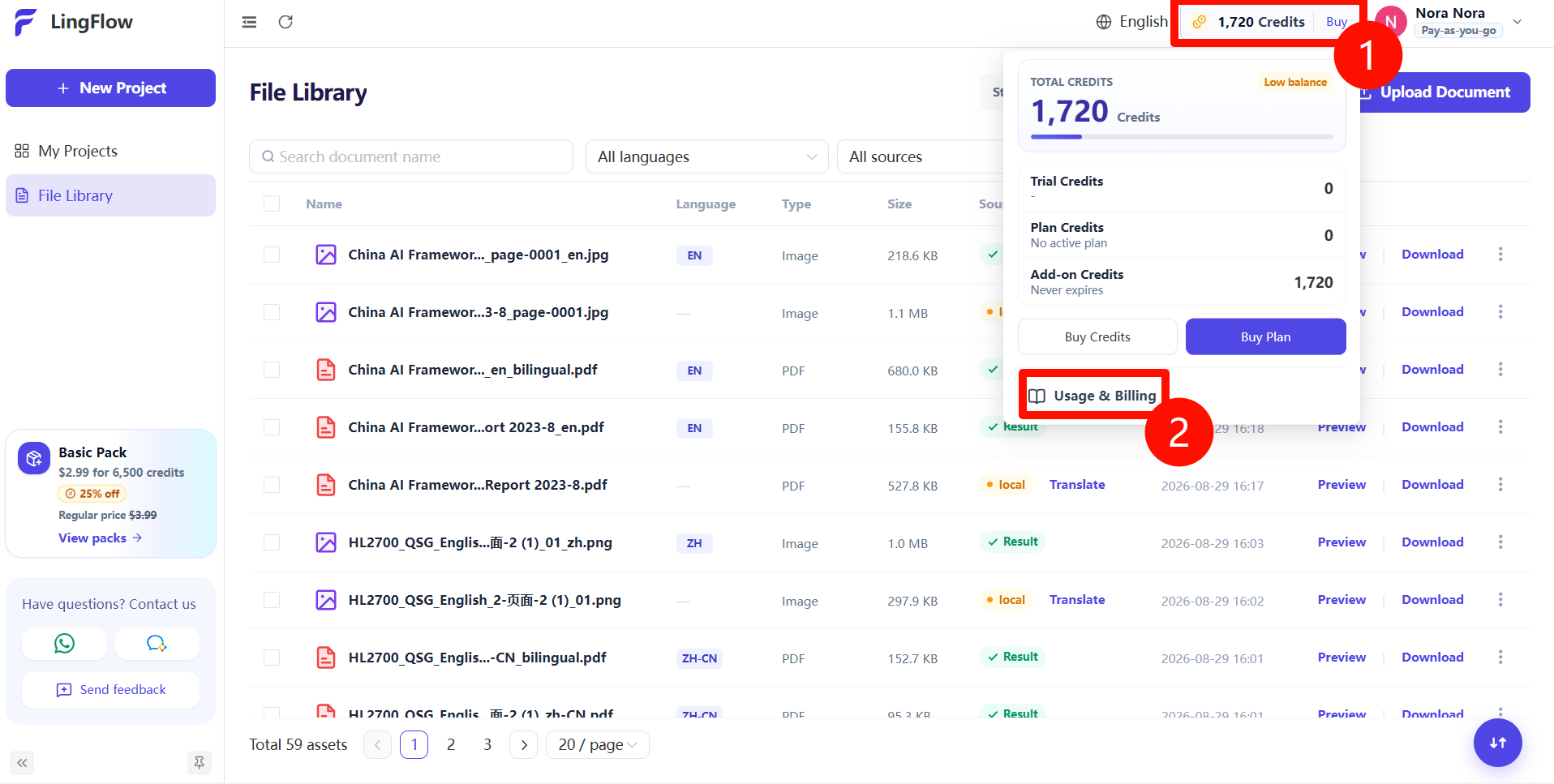
Open Credits and select Usage & Billing

Switch between Credit Details and Payment History to view credit usage, purchase order numbers, transaction types, amounts, and payment dates.
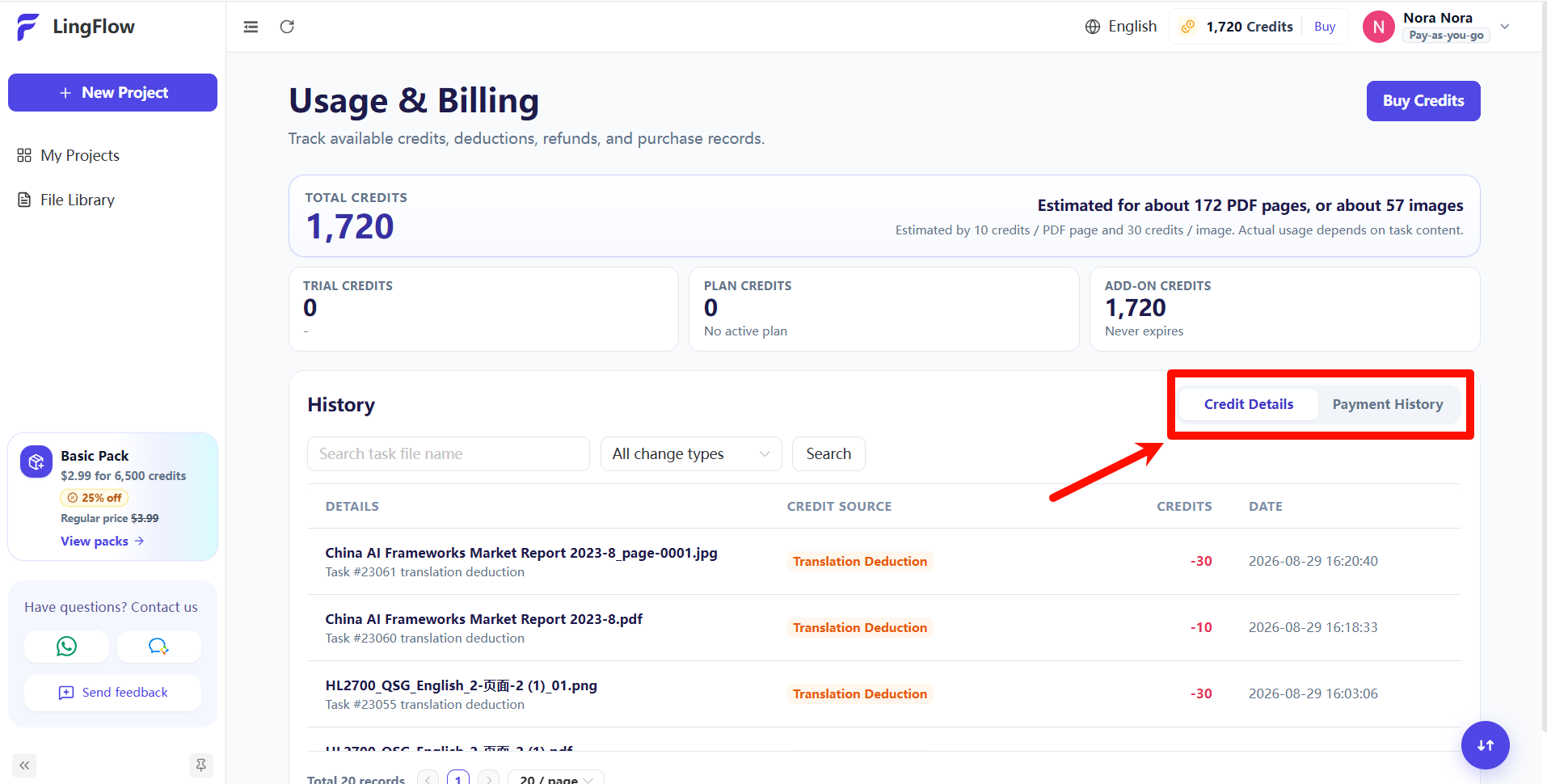
Switch between Credit Details and Payment History

Previous← Will I Be Charged Again if a Translation Fails, Is Canceled, or Viewed Again?NextWhat Should I Do if a Download Does Not Respond or Fails? →