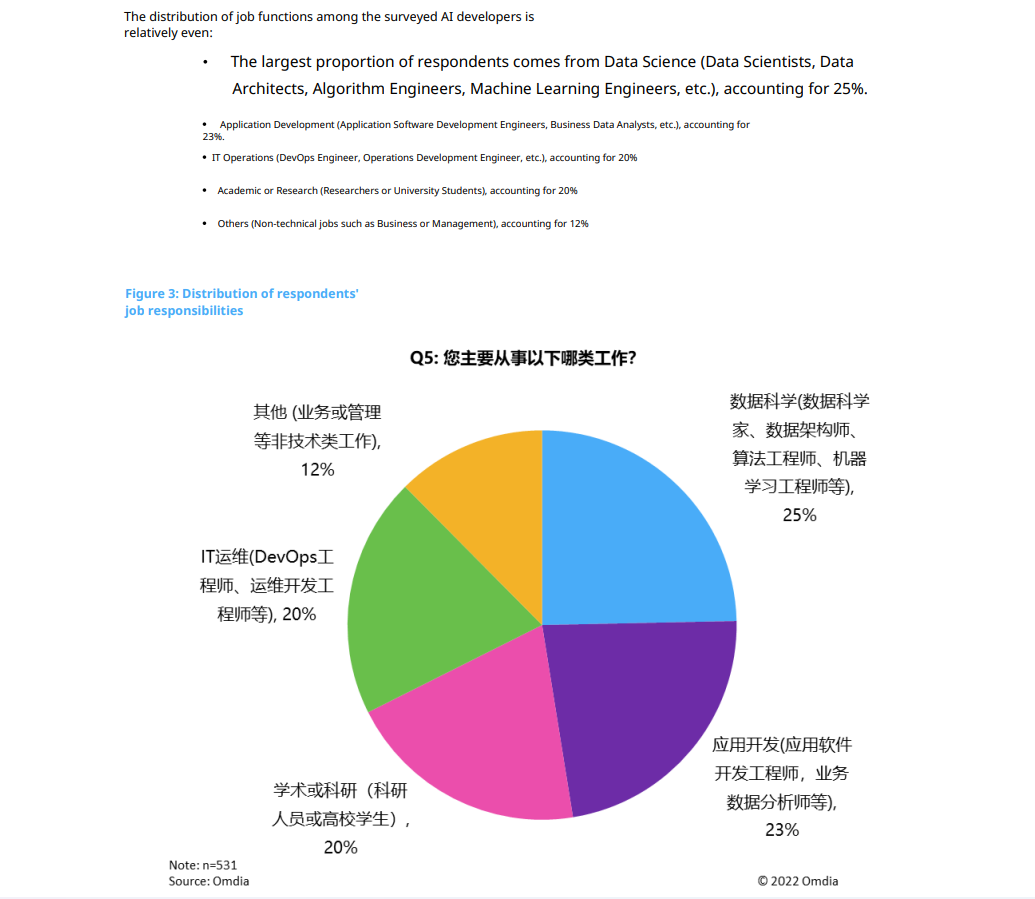
If text recognition, layout, or text within images does not look right after translating a PDF, especially a scanned document, we recommend splitting the affected pages or exporting the PDF as images, then using image translation.
Recommended Approach
- First use the preview to identify the pages where the issue occurs.
- Split those PDF pages or export them as images.
- Upload the images to LingFlow and use image translation.
Image translation is generally better suited to PDFs with a high proportion of images, lots of text within images, or complex visual layouts.
Examples
Original PDF
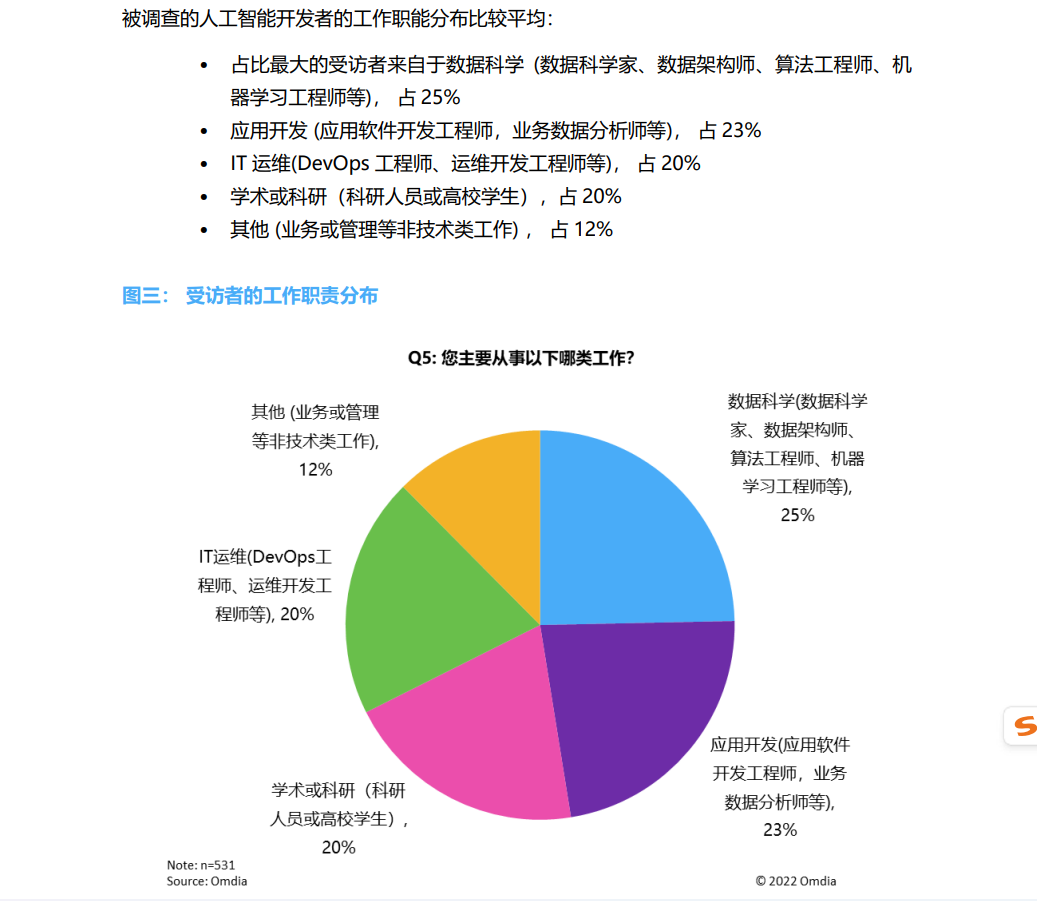
Split Pages and Translate as Images
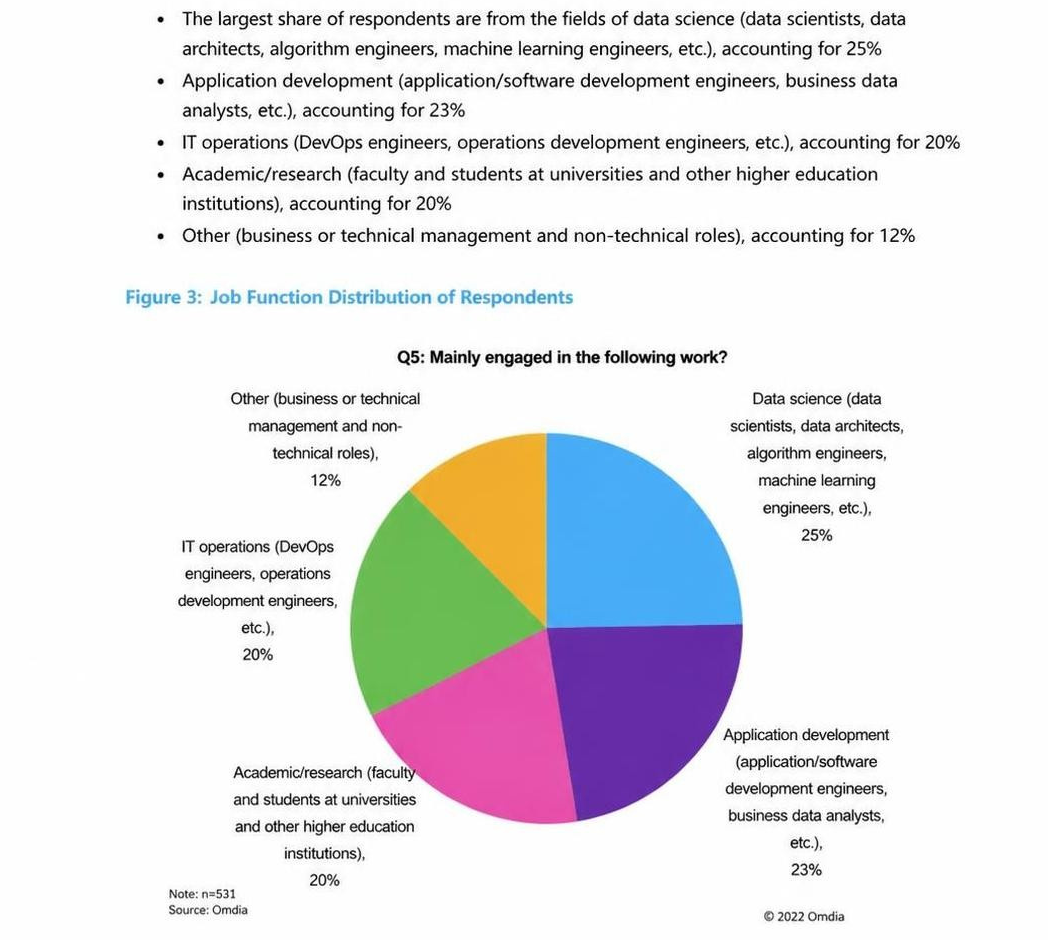
Translate the Original PDF